YYCam Pro 구독 취소 안내
구독 취소 가이드
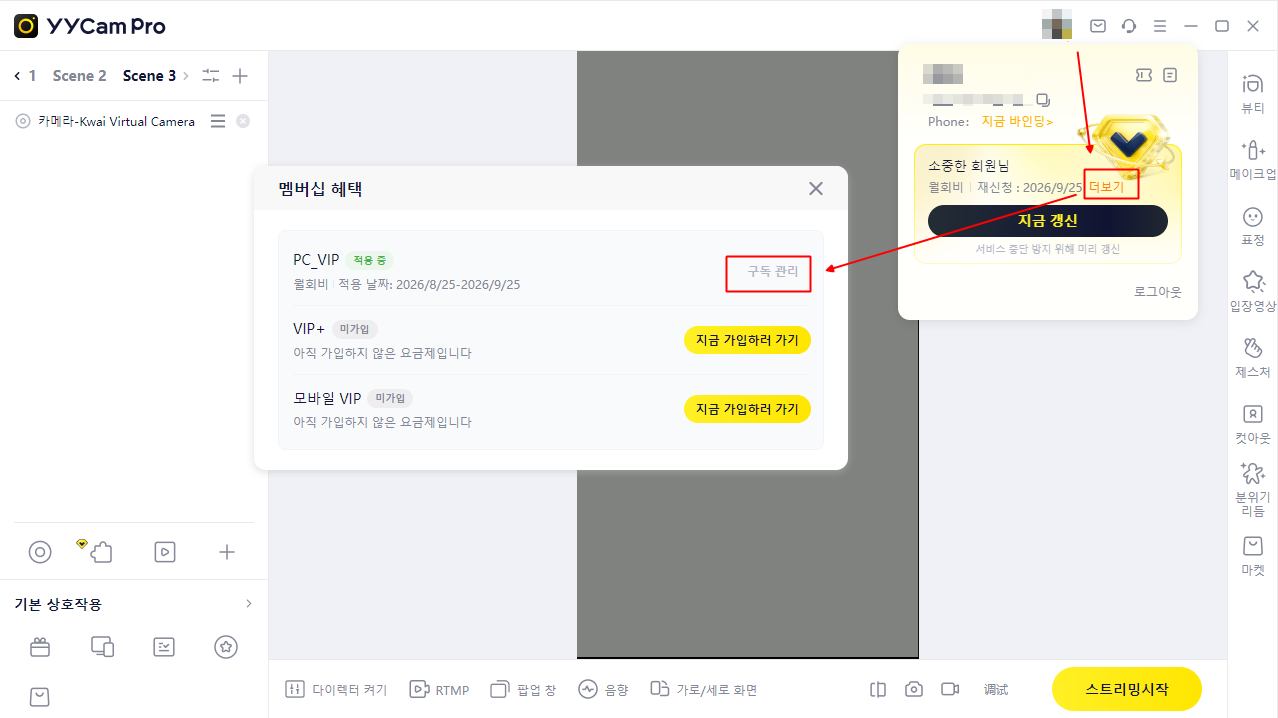
YYCam Pro 멤버십 구독을 취소하시려면 다음 단계를 따라주세요:
- 화면 오른쪽 위의 프로필 사진을 클릭하여 사용자 카드를 엽니다.
- 사용자 카드에서 갱신일 옆의 더보기를 누릅니다.
- 멤버십 혜택 화면에서 구독 관리를 누릅니다.
- 자동 갱신 해제를 선택하고 안내에 따라 취소를 완료합니다.
取消訂閱教學
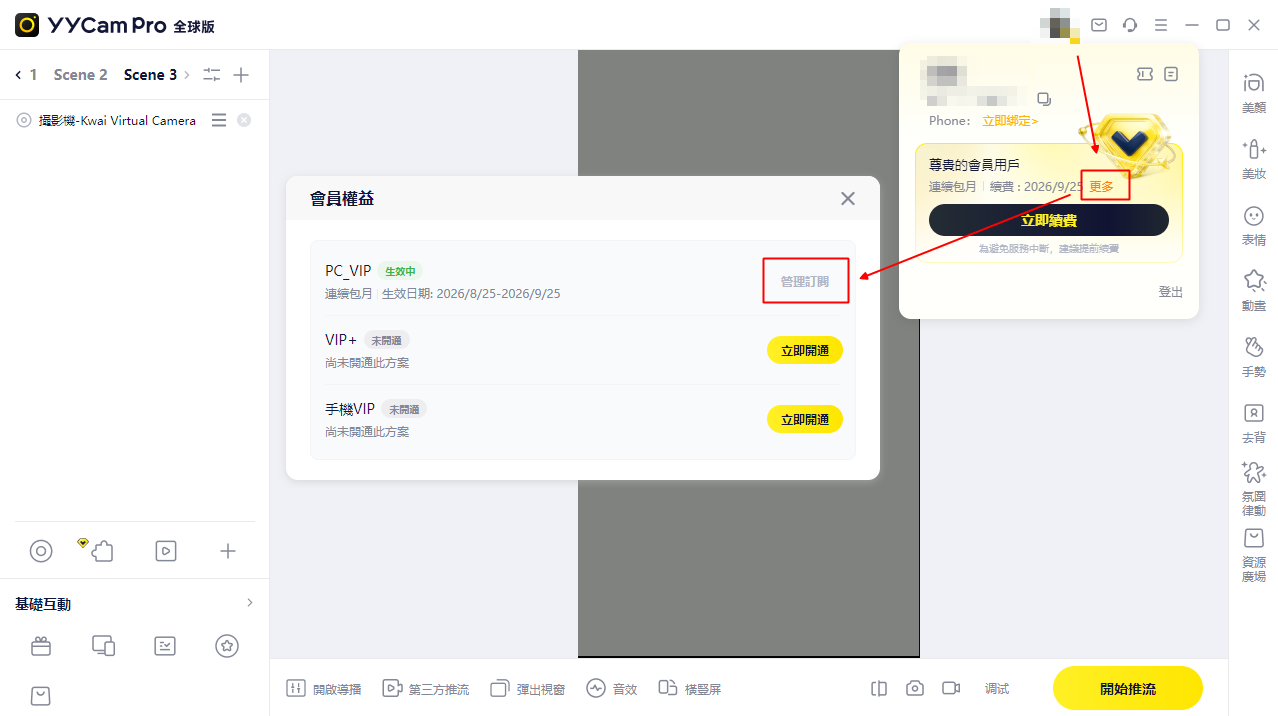
若您需要取消 YYCam Pro 訂閱服務,請依循下列步驟操作:
- 點擊介面右上角的頭像,開啟使用者卡片。
- 在使用者卡片中,點擊續費日期旁的「更多」。
- 在「會員權益」視窗中,點擊「管理訂閱」。
- 選擇關閉自動續費,並依照指示完成取消。
Subscription Cancellation Guide
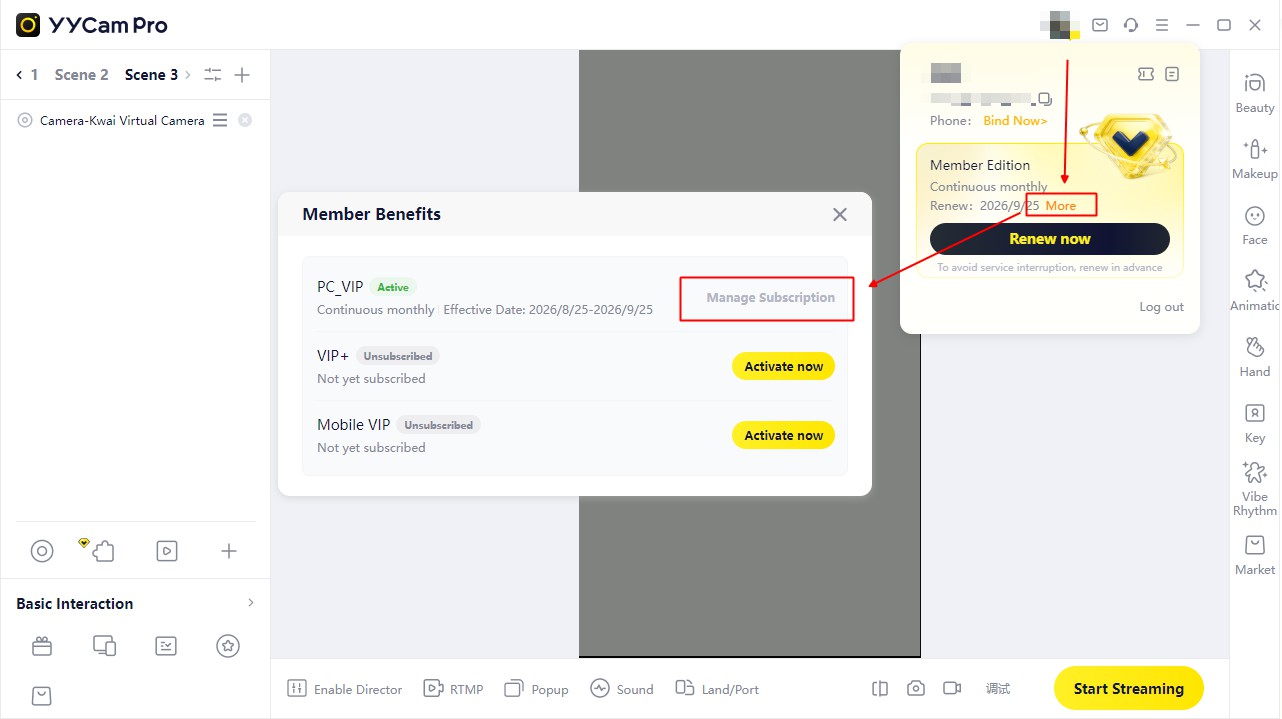
If you wish to cancel your YYCam Pro subscription, follow these steps:
- Click your avatar in the upper-right corner to open the user card.
- In the user card, click More next to the renewal date.
- In Member Benefits, click Manage Subscription.
- Select the option to turn off automatic renewal and follow the instructions to confirm.