Subscription Cancellation Guide
If you wish to cancel your YYCam Pro subscription, follow these steps:
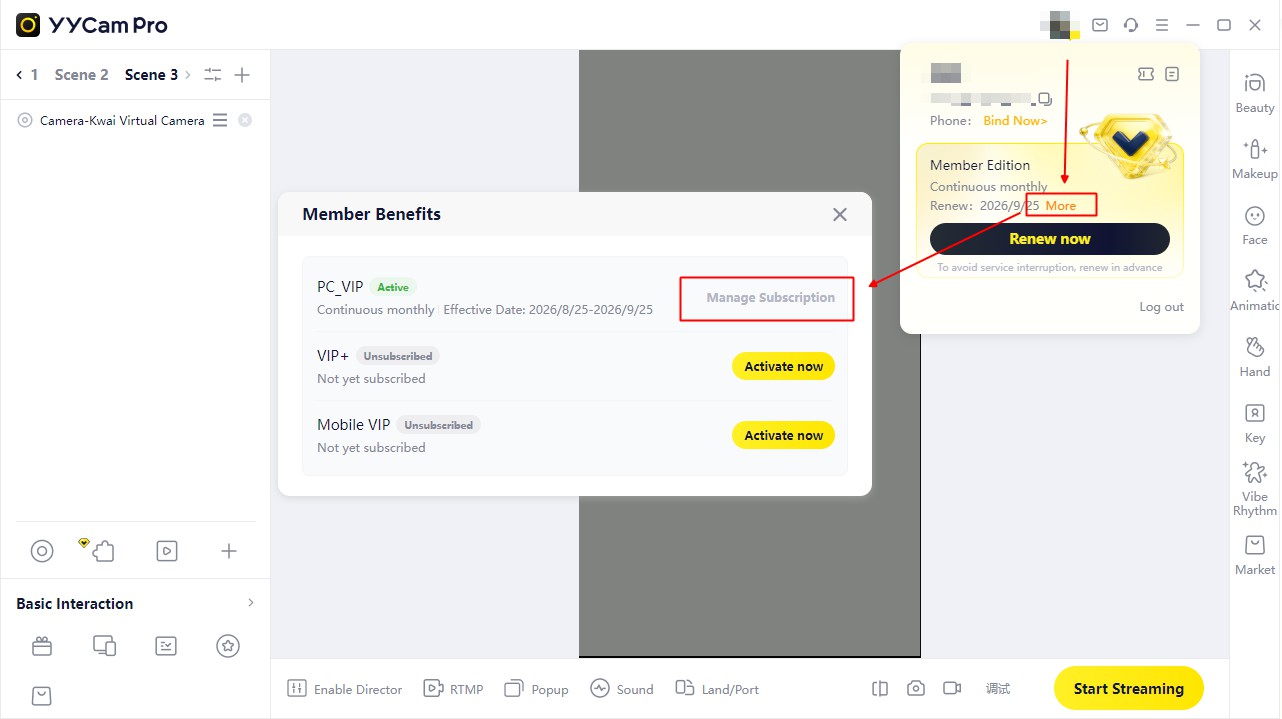
- Click your avatar in the upper-right corner to open the user card.
- In the user card, click More next to the renewal date.
- In Member Benefits, click Manage Subscription.
- Select the option to turn off automatic renewal and follow the instructions to confirm.