YYCam Pro Marketplace: Notification Plugin User Guide
The YYCam Pro "Notification Plugin" helps streamers showcase key live events—such as donations, gifts, or specific user entries—in real time during broadcasts. With eye-catching animation alerts, it enhances on-stage atmosphere and significantly boosts viewer engagement and interaction efficiency.
1. Plugin Features Overview
The Notification Plugin supports two types of trigger events:
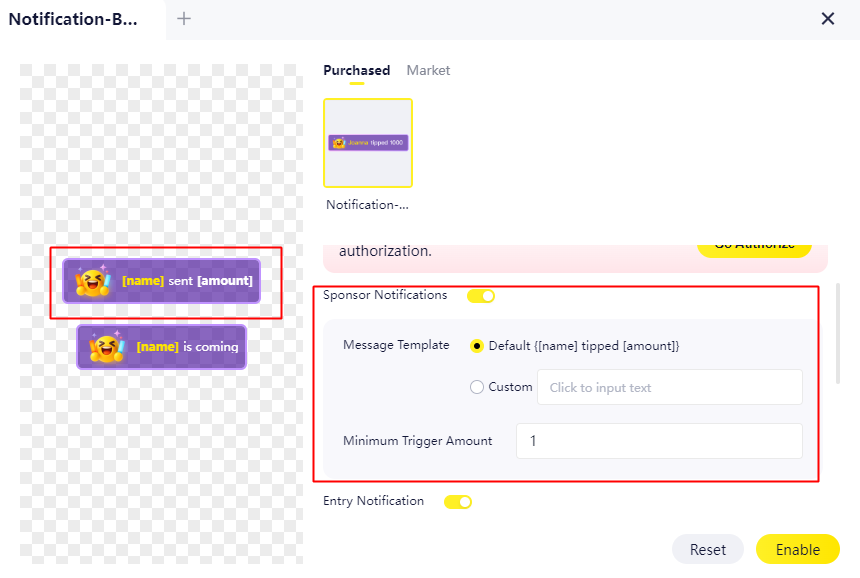
- Sponsor Notifications/Gift Alert Monitoring: Triggers an animated notification when a viewer sends gifts or makes a donation on the connected platform, and the total amount exceeds your preset threshold.
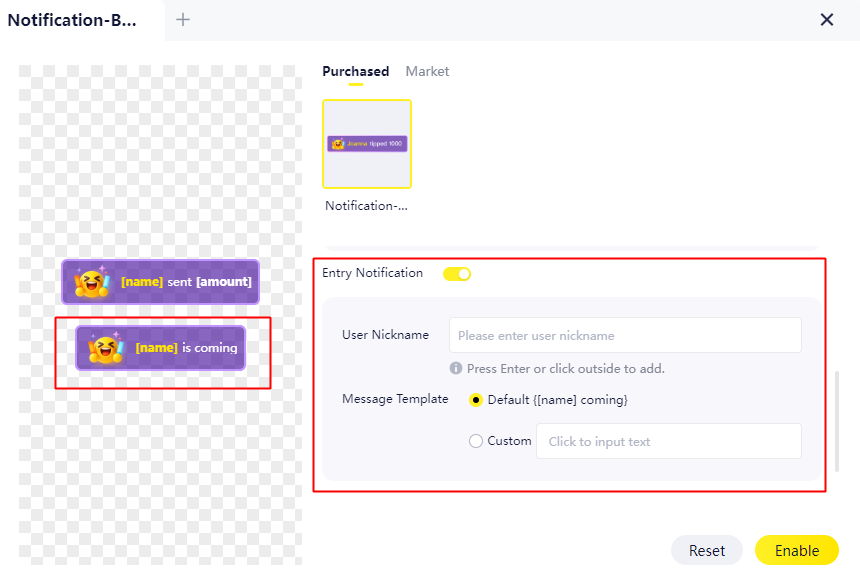
- Specific User Entry Alert: Triggers an animated notification when a pre-defined user enters your live stream.
2. Pre-Use Requirements
- Confirm that you have successfully authorized and connected the corresponding live streaming platform within YYCam Pro (required for receiving real-time platform events).
- Ensure the "Notification Plugin" is installed from the YYCam Pro Marketplace.
3. Setup and Activation Steps
(1)Open the Notification Plugin Settings
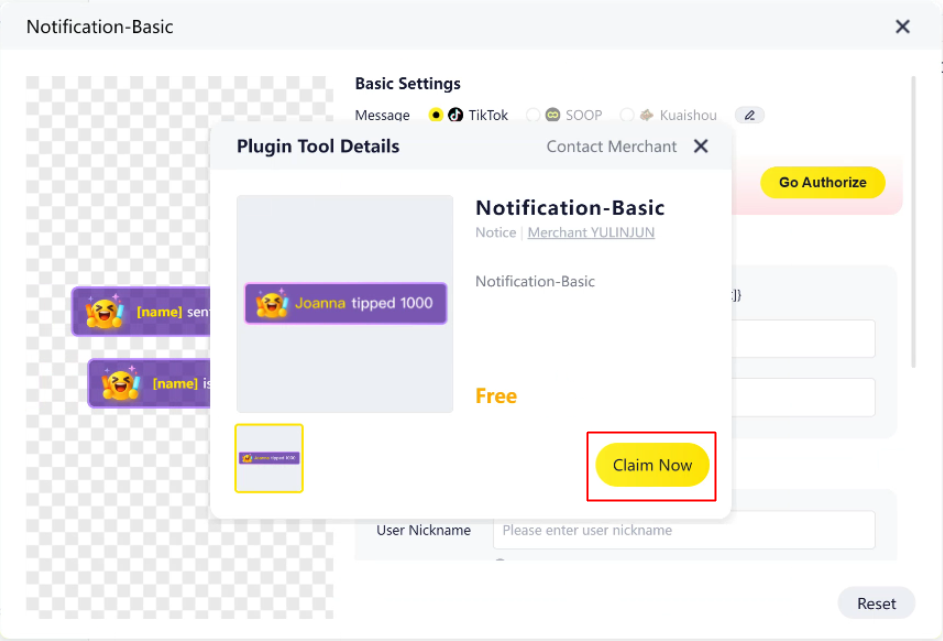
- Go to YYCam Pro Market → Locate and open the Notification Plugin → Click “Claim Now”.
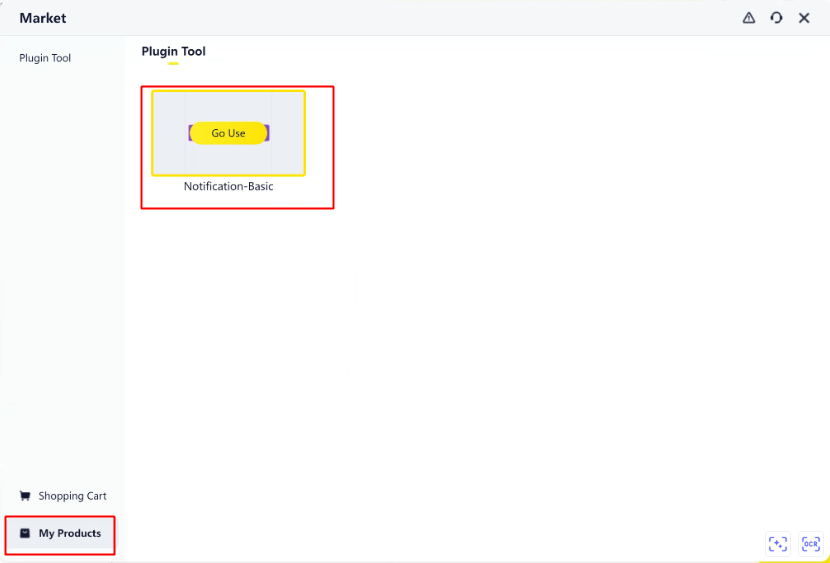
After claiming, the plugin will appear in your “My Products” list. Tap “Go Use” to begin configuration.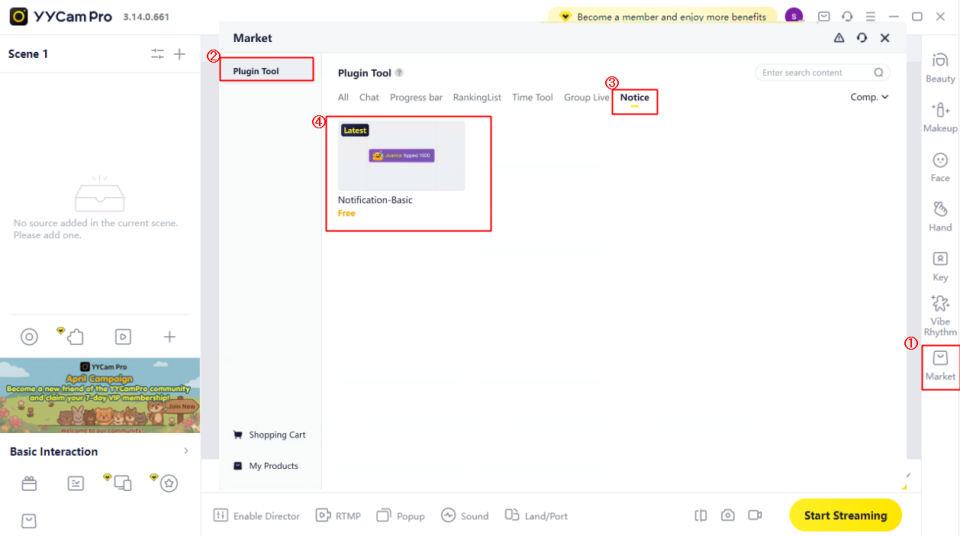

(2)Select Listening Platform and Trigger Type
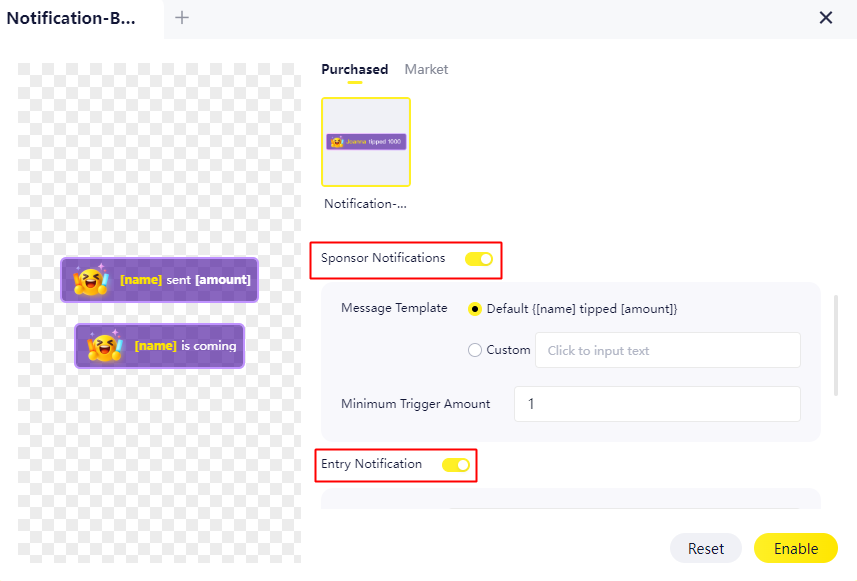
- Choose the platform to monitor (currently only TikTok is supported).
- Select the event type to trigger:
Sponsor Notifications/Gift Alert Specific User Entry Alert
(Both can be enabled simultaneously based on your needs.)
(3)Set Trigger Conditions
- For Gift/Sponsor Notifications: Set the minimum gift quantity or value threshold. The animation will only trigger when the total number or value of gifts exceeds your set limit.
- For User Entry Alerts: Add users you want to be notified about.
(4)Activate the Plugin
Once configurations are complete, tap “Enable”. The plugin will automatically trigger animated alerts whenever the set conditions are met.
4. Recommended Usage Tips (To Enhance Live Interaction)
- Set thresholds at meaningful interaction milestones (e.g., mid-tier gifts, or minimum 3+ gifts). This prevents excessive alerts and maintains optimal viewing experience.
- Assign entry alerts to core followers, team members, or guild members to create meaningful on-stage moments and elevate audience engagement through ritualistic storytelling.
Try it now in the YYCam Pro Marketplace—turn every significant interaction into a memorable event!
Let every gift, donation, and entrance be celebrated with impact.
YYCam Pro Operations Team